A Solution in Search of a Problem
Since I've had my swarm cluster, I've wanted to distribute tasks across my nodes. Not in the swarm cluster distributing services way, but an actual computing task. Something like folding at home, a program that adds your PC to a network for group analyzing of medical data, but local.
But We Already Have Problems at Home
I've been using the qwen3:30b mixture of experts model when I've had the opportunity. It feels like the only model I've tried so far that was actually useful in claude code. I heard that qwen 2.5 27b might be even better and threw the main task I've been working on at it. The task involves looking through my old note.txts in my tasks repo for tasks in a specific #TODO format, logging them into my new gitodo system, and removing the found #TODO line from the file. On top of that I ask it to send me an email and a notification. It's a fairly complicated operation.
The 30b m-o-e model did really well at this task. When I tried the 27b model, instead of using grep to search the files for #TODO, it decided to just open and read all nine files. It overloaded the context and crashed my host's GPU driver. Claude told me this was probably a "quirk" of the 27b model.
I wondered if there was a way of forcing models to search without explicitly instructing them in the prompt or adjusting their personality/persona markdown files. I wanted to take it out of their hands and save some tokens by making sure they get relevant results to read.
Killing Two Birds with One Stone
There it is! Multiple nodes can ingest a large dataset faster than a single node. I could get a large dataset, split it into chunks, and have my nodes add them to a vector database for my agents to search.
The vector search database solves both my problems, real and invented. Agents could take keywords and query the database and get a return of relevant results without having to interact with all the files themselves. I could ingest whatever data I want and spread the processing across the nodes.
I accomplished this in two stacks. The search stack with redis, redis commander, qdrant, and a retrieval rest api service. The second with a redis worker service and a small ollama embedding model for the processing.
The api gets a request, sends it to redis, the task get distributed across the redis worker services running on each node, the redis workers use their own local models and the data gets loaded into qdrant for the retrieval api to fetch when asked. The docker swarm compose stack yamls ensure every node on my cluster automatically joins the system.
The first thing I added was my paperless documents and watched them get chunked and split across the four nodes. It was amazing.
x24 speed
(Loosely) Tying it Together
Now was time to give my agents access to search. Not wanting to risk crashing my host's larger models again, I set my sights on Smith. When I first designed Smith, it was for a small 3B model. I had learned that 3B models don't really have the tool calling architecture I wanted and that to get around that, I'd need to use prompt engineering. So I used instruction files for the model to read to try to accomplish tool calls through a fuzzy tool calling format. I was naive enough to think that because it could "speak" English well enough, the 3b model would be able to understand what I wanted. I was wrong. I quickly pinned the ollama service to the node with the most ram and switched to a larger model. The qwen 2.5 7B I switched to did much better at this fuzzy calling format, but now that I was adding more tools, I had a decision to make.
The right tool for the job
When I made new tools, I made sure they were available for all my agents (Openclaw and Claude code). I did this by giving agents access to the same tools and scripts folders. To add new tools, I needed to create an entry in the tools.md markdown file describing it. Then I needed a python script in the scripts directory.
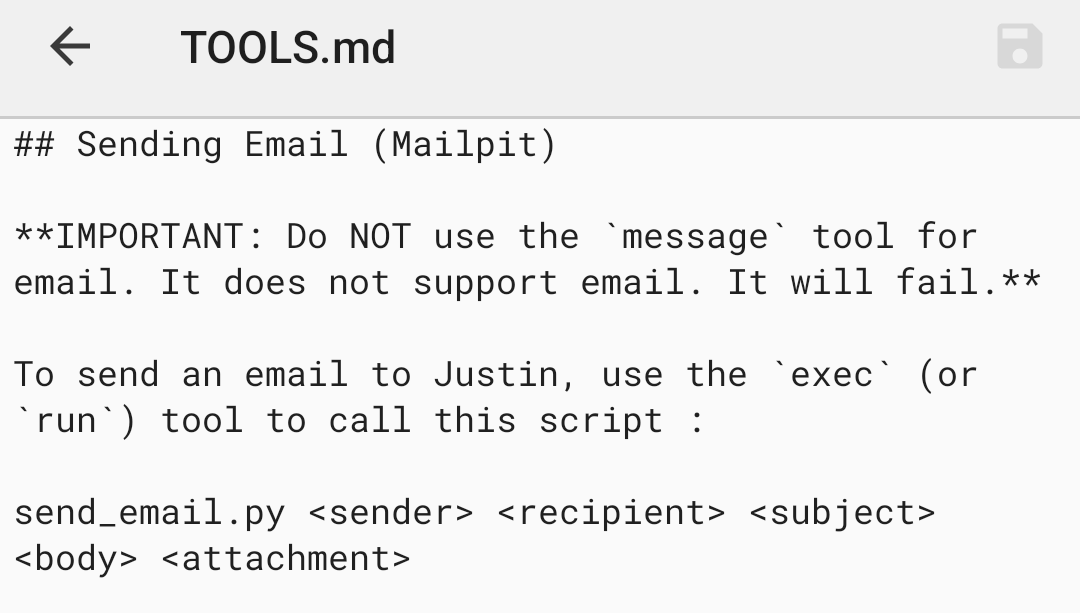
Tools.md tells the agents where the scripts are and how to use them. I was finding that the different agents were interpreting tools.md files a little differently and ended up editing each agent's persona depending on how they interpreted tools. It was getting very tedious.
Enter Model Context Protocol
A buddy had mentioned to me about MCP, a service where agents get a list of tools and how to use them. I had forgot about it until now. My 3b model couldn't use tools, but I had switched to a 7b model that was now capable of real tool calling. I had a decision to make. Do I keep Smith and it's fuzzy tool calling format? It's kind of what differentiated it from Openclaw in the first place.
With the 30b model still down, the choice was clear. If I was going to launch the mcp service, I would need to test it. That meant either a new mcp ai chat interface or I'd just upgrade Smith.
Smith 2.0
Getting MCP into Smith wasn't the hardest thing, but it took a while.
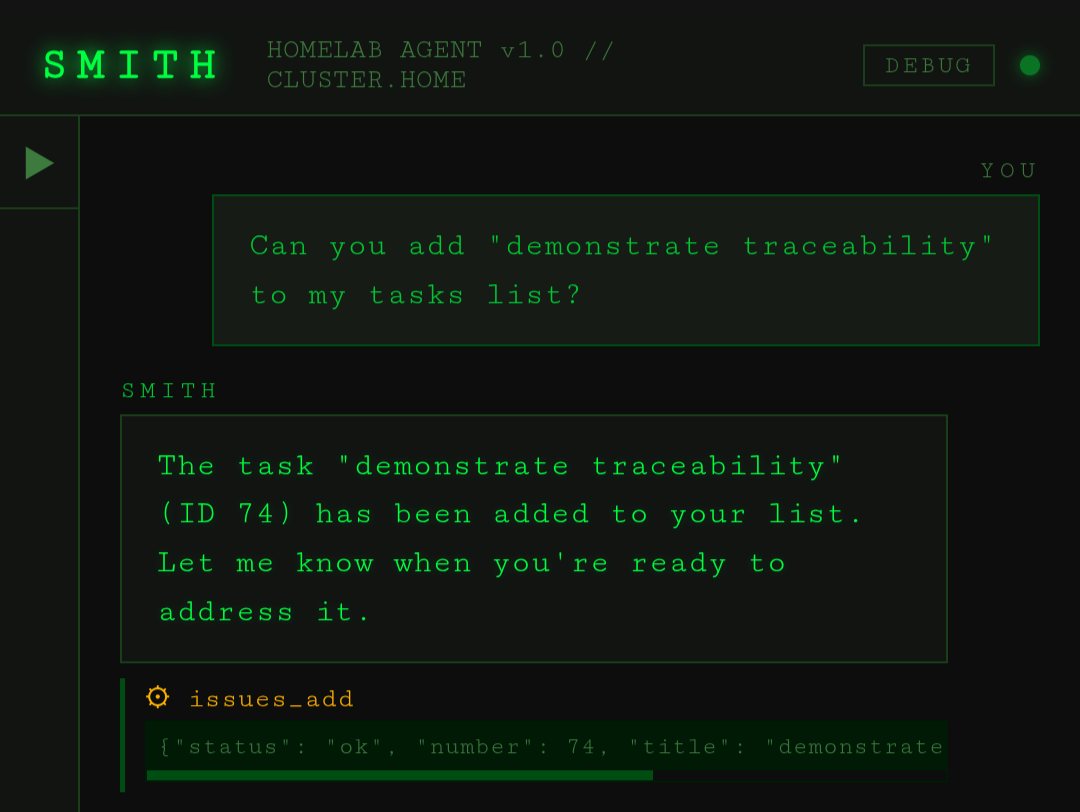
I still couldn't get the 7b model to reliably use its gitea environment token to pass to the new gitea mcp tool. The model kept passing whatever literal string was in the instruction, IE, "$GITEA_TOKEN". The common solution seems to be to just have a single token on the mCP server and to have the tokens completely out of the agent's hands. This would mean all the work I did setting up my different agents with their different gitea keys would be pointless. I want to know which agent does what for traceability.
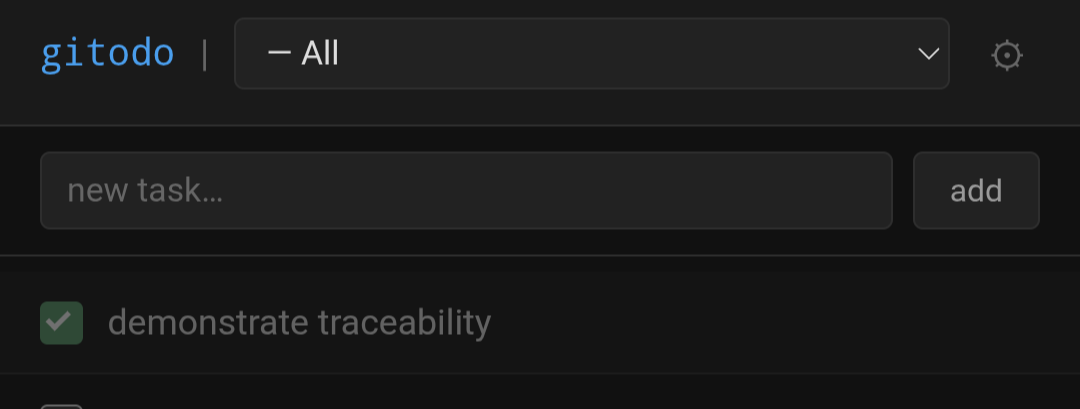
Just like a real software company, not everybody's going to share the same key to the company repo (at least I hope not).
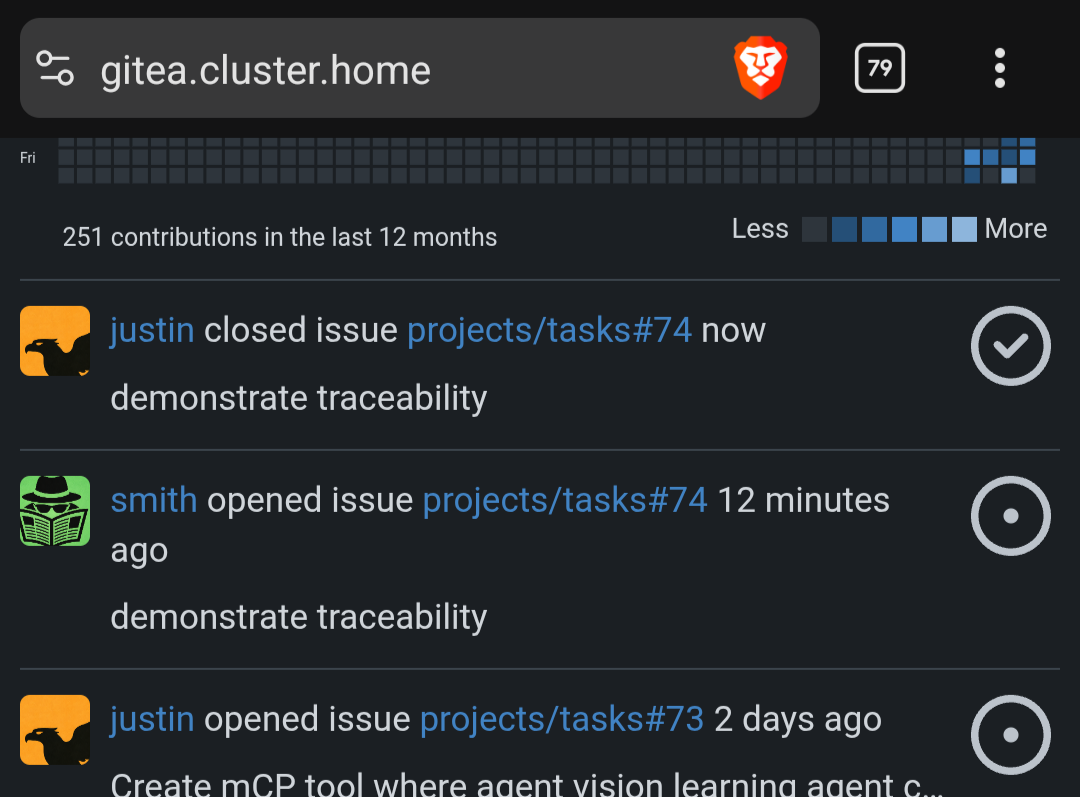
I want my agents to work the same way. So for Smith, I had to create an argument injection system. The token gets added to the tool call from Smith's own environment variable. I'm hoping when I'm able to test a 30b model with my upcoming hardware, it will be able to read the doc strings for the tool and know how to use it's own environment variable. It seems to do well with in Claude code so I have hope.
A Solid Foundation
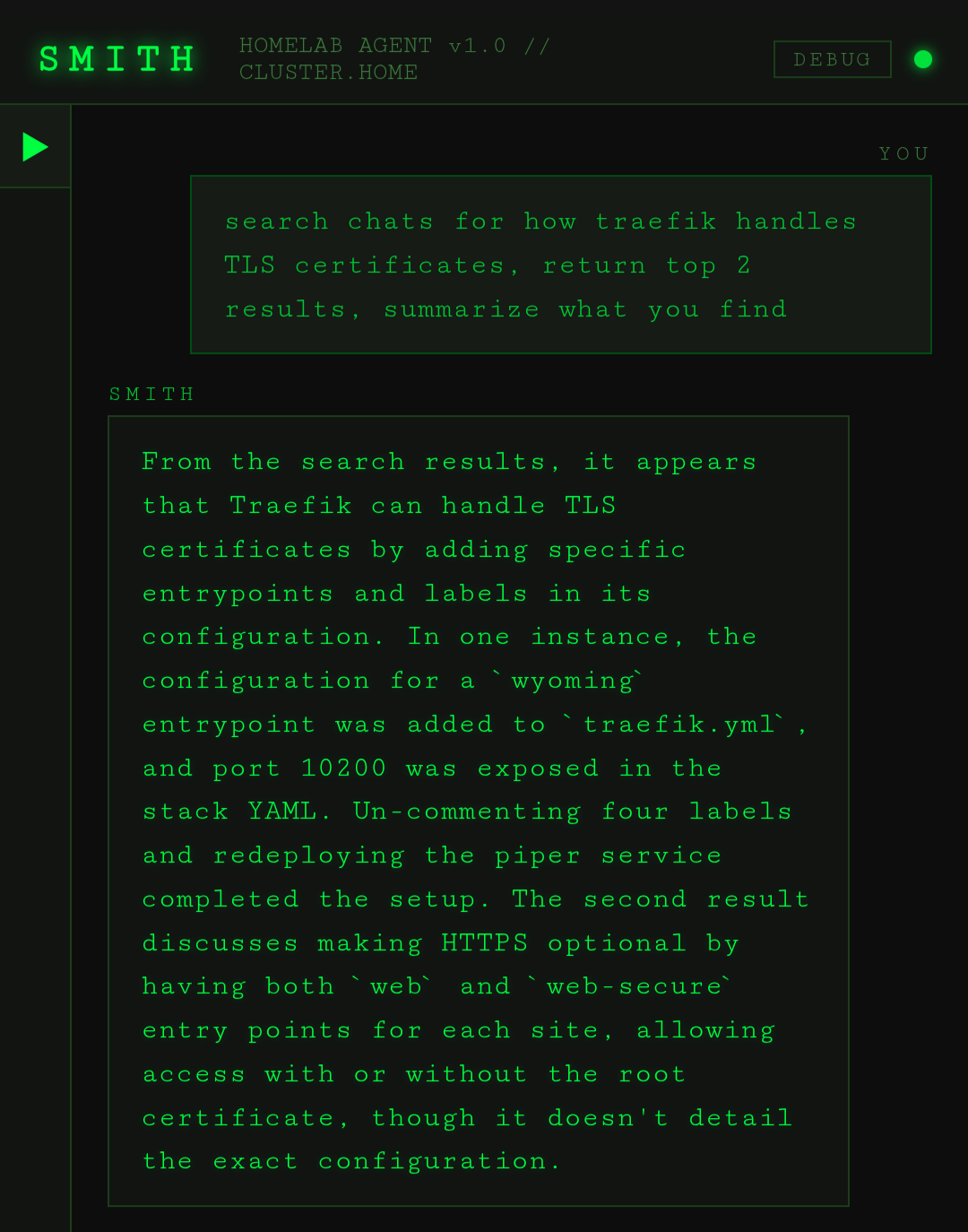
My own AI chat history being the next target, I exported Claude, openai, and grok and then created an ingestion script for the files. That way I can look back on things I've solved. If I have questions, I'll be have my agents query qdrant about any questions have had, things I've built, or even to remind me how my own system works 😉.
Final thoughts
I've got so much more data to ingest. I've been meaning to replace the Google nests in my house and have an ai agent play songs from my navidrome music service. Once it ingests that music data, I can have it create playlists off the meta data, among other things. "Email me a word of the day and create a playlist with any songs that happen to have it. Make sure the lyrics are up beat." and it should be able to do it. I need to create a generic ingest script so I can tell an agent to download and ingest data and create collections on the fly.
I've been so busy this week, I didn't even mention another service I built and launched in my swarm, Respond.
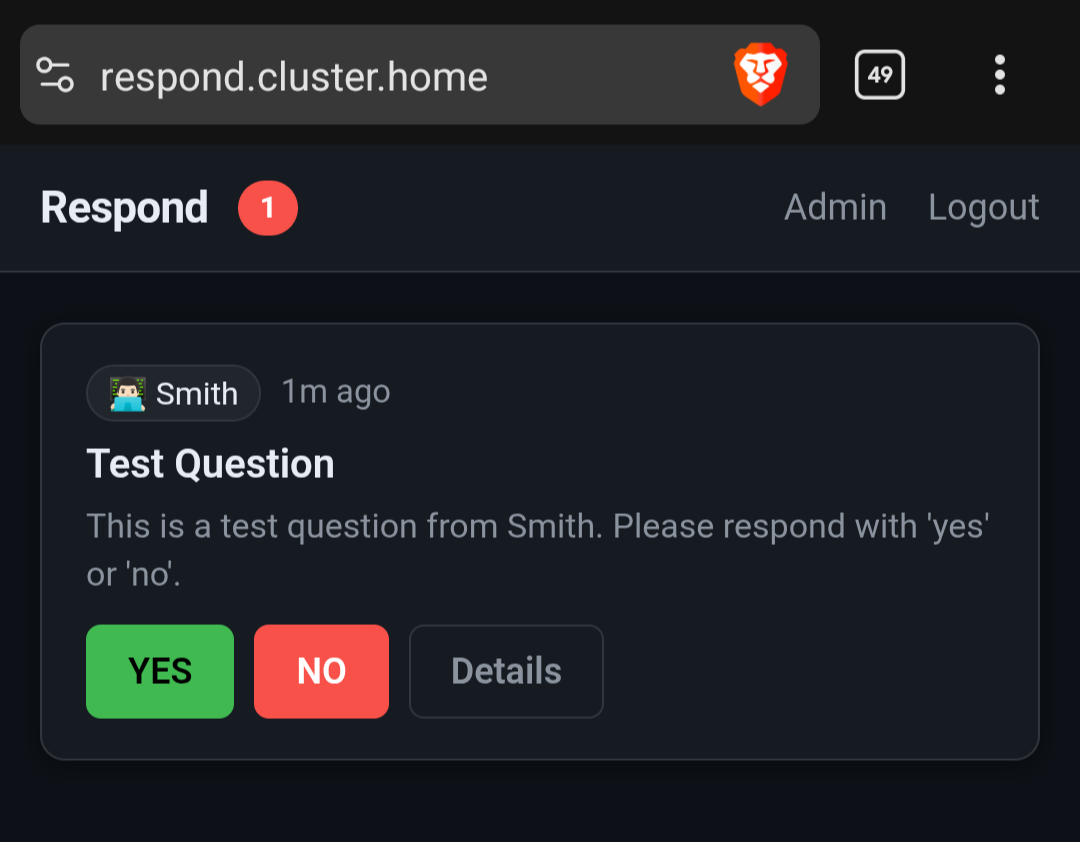
It's an asynchronous communication service for my agents and me. I'm building all these systems to make my agents powerful, but they're very limited if they can't get feedback. Now I can schedule a prompt on a cron job and have the AI get my approval if necessary or have me make a decision. I need to get around to a write up about it once it functions a little better.
I also got a new pc for ai shenanigans. I'm still waiting on the videocard but until then, I'm doing qwen3:14b on the cpu. It has a toggleable thinking mode supposedly, which will be fun to test.
[j@justinjanson.com ~]$